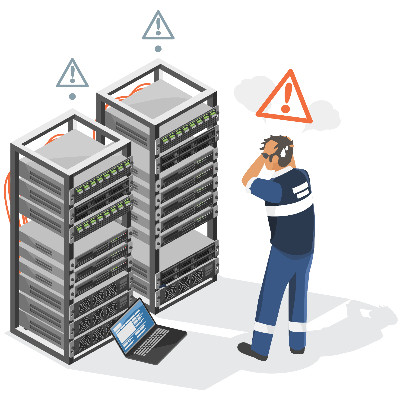
Many organizations continue running legacy software versions long past their official manufacturer support dates because the applications still execute basic daily tasks. That said, operating unpatched systems introduces severe security vulnerabilities that automated malware scans actively target.
Failing to modernize your business’ software leaves your corporate data exposed to unauthorized access and system-wide failure. Let’s talk about how to shore up these vulnerabilities.
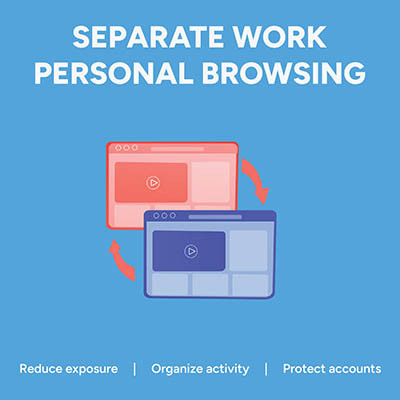
Picture this: an employee is logged into their personal Google or Microsoft account to check a personal email. In the very next tab, they open your company's cloud dashboard to edit a sensitive spreadsheet. It feels completely harmless, but in reality, that single overlapping browser session is a quiet source of data leaks, compliance headaches, and constant calls to your IT help desk.
That’s because if personal identities and corporate cloud accounts mingle in the same browser instance, the browser gets confused. It attempts to sync saved passwords, autofill data, browsing history, and extension permissions across both environments.
The fix is simple… enforce dedicated browser profiles for your entire team.

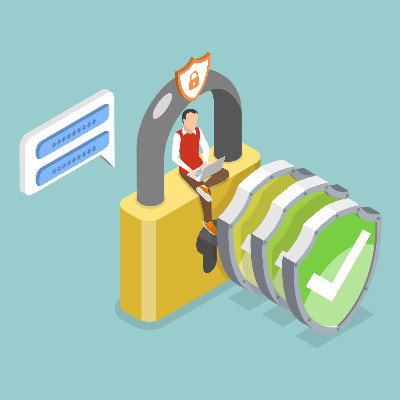
Managing hundreds of business accounts with complex, frequently changed passwords no longer protects your organization. In fact, forcing arbitrary symbol substitutions and constant resets creates predictable patterns that hackers easily exploit. Modern security relies on practical, long-term rules that safeguard data without slowing down daily work.
Making money is the name of the game for every business. Because of that, determining exactly how much to spend on technology every month is a critical decision. Every dollar going out the door needs to justify its existence, yet tech budgets are often a source of confusion for business owners.
Let's pull back the curtain on what a healthy, realistic technology spend looks like for a small-to-medium business.
If you are a business owner, you probably manage hundreds of different online accounts. Yet, tech experts like me expect you to have a completely unique, random password for every single one!
It is a lot to handle. It is also a rule that every single person on your team needs to follow to keep your business safe. A password manager, which is software that stores your logins securely, is the easiest way to manage this requirement.
Question: What would you think if you looked at your IT department’s queue and saw zero support tickets in the hopper? On the surface, this seems great—everything appears to be working, after all—but looks can be deceiving.
What if, instead of you having no issues at all, your reporting systems are too much of a hassle for your team members to utilize, and as a result, they have neglected reporting issues in favor of developing their own workarounds?
Artificial Intelligence is often framed as a productivity solution, but it has introduced a significant security risk known as shadow IT—specifically, shadow AI. This occurs when employees use unauthorized, public AI tools to summarize meeting notes, write code, or analyze spreadsheets without oversight from the IT department.
While the intent is usually to improve efficiency, employees often unknowingly upload proprietary company information to public databases.
Most “Acceptable Use Policies” are relics of the 1990s—ten-page legal documents filled with all kinds of “thou shalt nots” that employees sign once and immediately forget. Modern business requires a different approach. A lockdown policy drives your best talent toward implementing shadow IT solutions, or unapproved apps, and it creates a culture of resentment that ultimately holds your business back.
Digital accessibility makes technology usable for everyone, helping employees stay productive and giving employers access to more talent. Microsoft Word includes a built-in Accessibility Assistant to help you easily create inclusive documents.
Think of it like spellcheck, cranked up to 11, intended to ensure as many people as possible are able to access the information you’re trying to share.
For most businesses, integrating artificial intelligence isn't just about picking the right software; it’s about doing what you can to properly feed the beast. AI runs on data, and if that data is a chaotic mess, your expensive tools will be trying to solve a puzzle with half the pieces missing and the other half upside down.
Cybersecurity is a topic near and dear to most business owners’ hearts. You might not specialize in securing your infrastructure, but it’s still a vital factor that cannot be ignored. Today, we want to cover how you can make cybersecurity as easy as possible for your team so they don’t accidentally put your business at risk.
Imagine finalizing a high-stakes client proposal, only to realize—seconds before the ink dries—that your AI assistant generously included a 50 percent discount on your most profitable service.
It sounds like a corporate fever dream, but in the world of unmanaged AI, it is a very real possibility. While artificial intelligence is a powerhouse for productivity, it is only an asset if there is a human at the wheel. Without a sanity check, AI can quickly transition from a helpful tool to a liability.
The AI honeymoon phase is officially over. In 2026, the question isn’t whether your business is using AI, it’s whether you’ve handed it the keys to the building without a background check. As IT providers, we’re seeing a surge in emergency room calls from companies that treated AI as a set-it-and-forget-it miracle. To keep your organization from becoming a cautionary tale, you need to stop trusting the machine blindly and start managing it strategically.
We’d be the first to admit it: my team and I put a lot of emphasis on security.
That said, we’d argue that this emphasis is completely warranted, especially considering how intent modern cybercriminals are to accomplish their goals. It’s gotten to the point where you really can’t trust anyone… not even the people you’ve hired to work for your business. It’s an unfortunately necessary mindset that today’s business owners must adopt.
This is why establishing zero-trust security standards is so critical.
Let me ask you something: say you had promised to protect someone, keeping them safe and healthy. Would you want them to actively partake in risky—and in many cases, completely avoidable—situations? Of course not. So, why would a business’ insurance provider want to provide coverage if that business did nothing to prevent a cybersecurity event?
They wouldn’t… and as a result, many providers are establishing minimum safeguards and compliance requirements to help protect themselves. Let’s go over what these safeguards are so that your safety nets will be there when you need them.
You’ve likely felt it: that uncanny sense that your phone is eavesdropping or that the Internet is feeding you exactly what you love and everything you hate. We call it the Algorithm; the thing that decides what we see, who we talk to, and what we believe.
The algorithm isn't a single entity; it’s a hyper-focused, data-driven librarian with one specific goal: to keep you engaged longer and longer so the company can make more money. By treating your attention as a currency, platforms have built sophisticated engines that don’t just show you content; they predict your future behavior. Here is how the world’s biggest digital companies are shaping your worldview.
How productive are your employees, really? You want your investments in people and resources to yield results, but if those results aren’t visible, either because they don’t exist or because it’s so slow that it might as well not be there, then you have a real problem on your hands. Today, we’re discussing how you can use productivity to measure efficiency and how you can overcome the struggle of not being where you want to be.
Customer Login
News & Updates
Contact us
Learn more about what Fatech IT Advisors can do for your business.
Fatech IT Advisors
585 Grove Street Suite G10
Herndon, Virginia 20170